
Senzary SmartHVAC · IoTLogIQ FacilitiesIQ
EXISTING AC.
CONNECTED
OPERATIONS.
Know which rooms need attention. Manage compatible AC units across your buildings. Give your facilities team one operating view.
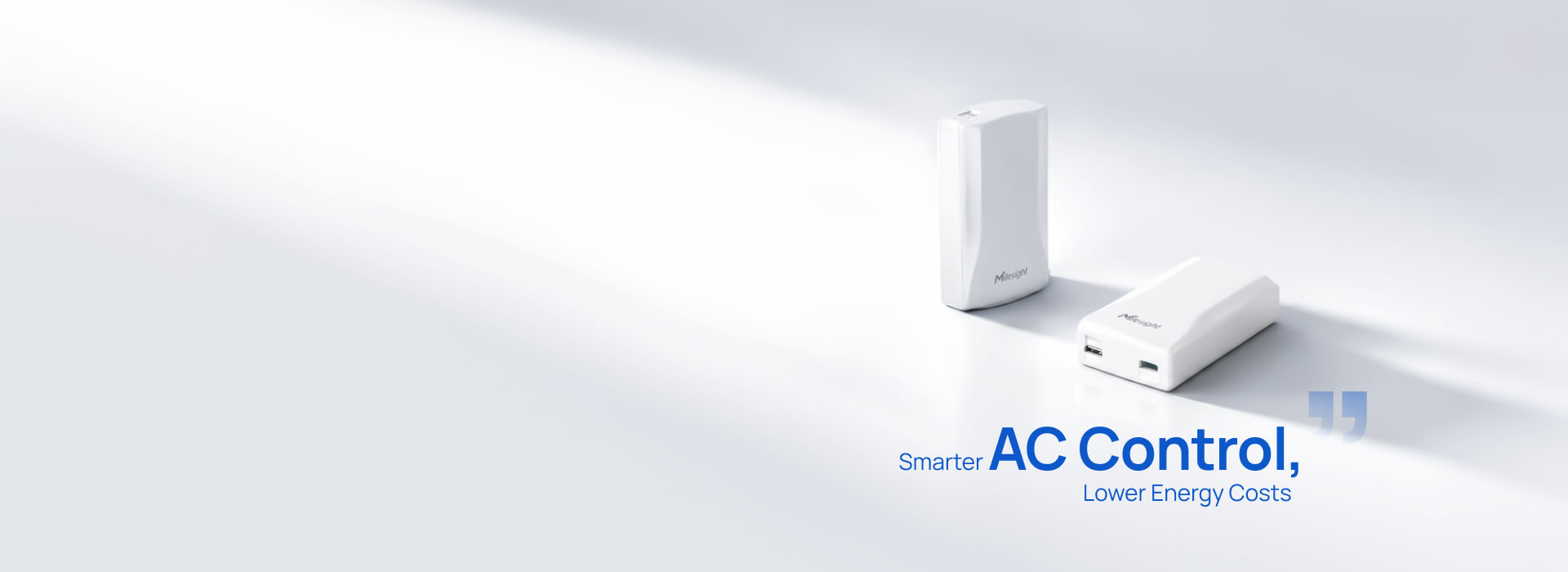
SmartHVAC brings Milesight UC701 sensing and infrared control into a Senzary deployment, with IoTLogIQ FacilitiesIQ integration and commissioning matched to your site.
For compatible IR-controlled AC · Single sites or multiple buildings
Sense
Connect
Control
The daily facilities problem
MOVE FROM ROOM CHECKS
TO INFORMED ACTION.
Room comfort
Built-in temperature and humidity sensing helps you see where conditions have drifted. Place an optional NTC probe where the temperature matters.
Daily control
Power, mode, setpoint, and fan commands for compatible AC units. Keep familiar room remotes and add the optional WT401 thermostat.
Operating routine
Local weekly schedules and temperature limits help address unnecessary operation. Optional current feedback helps check whether a unit is drawing current.
How it works
A CLEARER PICTURE
OF EVERY AC.
The UC701 sits near the indoor unit and sends infrared commands, like a room remote. LoRaWAN connects it to the management platform; Bluetooth supports local configuration and the optional WT401.
Keep the measurement, the requested setting, and the observed response distinct. That gives the team a useful basis for action.
Specify your sensor kit| Source | What you can use |
|---|---|
| Built in | Temperature + relative humidity Room conditions at the controller. Position it where the reading represents the space. |
| Optional NTC probe | One external temperature point Use for room or outlet-air temperature. Add sensors for simultaneous supply/return measurements. |
| Optional current transformer | Current + running feedback Rough electrical feedback supports running checks. It does not provide revenue-grade energy measurement. |
| Infrared controller | Power, mode, setpoint + fan Commanded and controller-reported settings. Validate the physical AC response during commissioning. |
| Runtime calculation | Estimated energy A runtime-and-configured-power estimate. Pair a dedicated energy meter for measured kWh and savings analysis. |
Your FacilitiesIQ deployment
ONE VIEW ACROSS
ROOMS AND BUILDINGS.
Connect each controller to its site, room, and AC asset. Scope comfort trends, schedules, exception alerts, and authorized control together with the rest of your facility data.
| Area / AC | Room | Requested | Operation feedback | Team action |
|---|---|---|---|---|
| Meeting room / AC-01 | 24.0°C | Cool · 23°C | Current detected | Monitor comfort |
| Office east / AC-02 | 28.1°C | Cool · 23°C | No current detected | Check the unit |
| Lobby / AC-03 | — | Last request: Off | Telemetry stale | Check connectivity |
Display last-seen time and data freshness. Current feedback is optional and does not prove cooling performance. Alarm thresholds and verification windows are commissioned for the site.
Match the equipment
Record the AC and remote model, verify IR commands, select the regional radio version, and confirm the power and accessory kit.
Connect the facility
Commission the LoRaWAN gateway and network server, validate UC701 decoding, and bind each controller to its room and AC asset in IoTLogIQ.
Put the team in control
Configure FacilitiesIQ views, reporting intervals, alarms, permissions, and command verification. Hand over after the site acceptance checks pass.
UC701 integration is configured and validated as part of the project. Gateway coverage, network class support, reporting frequency, and control permissions are confirmed during the pilot.
Match the installation
START WITH THE RIGHT KIT.
Select accessories for the room, the AC, and the installation position. Scope the complete system before ordering hardware.
Visible placement
Wall-mounted or nearby
- UC701 temperature and humidity sensing at its installed position.
- A clear, validated infrared path to the AC receiver.
- USB-C power, or an optional three-AA battery configuration within its 0–40°C operating range.
- Optional current transformer for operation checks; USB power is recommended with the CT.
Concealed placement
Inside an appropriate unit space
- Both the external NTC temperature probe and external IR emitter are required.
- Position the probe for the intended room or outlet-air measurement.
- Preserve service access and follow the AC manufacturer’s installation requirements.
- Qualified electrical personnel install the optional CT on the correct individual conductor.
Grow with FacilitiesIQ
AC IS ONE PART
OF THE FACILITY.
Bring room use, doors, water risk, and measured energy into the same project when those signals improve the operating decision.
Occupancy + doors
Use separate occupancy and contact sensors for actual room use and open-window status.
Condensate + leaks
Add leak sensing around drain pans and water-risk areas.
Measured energy
Use suitable metering for real kWh and a defensible before-and-after baseline.
Deeper diagnostics
Add supply/return temperature, vibration, or other sensing to match the equipment.
Before your pilot
THE PRACTICAL QUESTIONS.
Will UC701 work with our existing AC units?
It is designed for infrared-controlled AC units, including many mini-splits, window units, cassette units, and PTACs. The actual AC and remote model must be tested against the code library or IR learning. A building with wired-only controls or a different HVAC interface needs a different integration path.
Can the original remote still be used?
Yes. The manufacturer supports coexistence with the original remote and an optional WT401 room thermostat. We verify remote use, controller position, temperature limits, and state reporting as part of commissioning.
Does it measure AC electricity consumption?
The controller can estimate energy using runtime and configured rated power. Its optional current transformer provides rough current and operation feedback. For measured kWh, verified savings, or variable-load energy analysis, add a suitable energy meter.
Can it be concealed inside the AC?
Milesight requires both an external NTC temperature probe and an external IR emitter for concealed installation. The installation must preserve the correct sensing position, infrared path, and equipment service access.
How often does the facilities dashboard update?
Sampling and reporting are different. Manufacturer defaults are 30-second temperature/humidity collection, 5-second current collection when the CT is used, and a 10-minute reporting interval. The project sets the reporting and alarm behavior to suit the network, power source, and operational need.
Is the UC701 integration already native in FacilitiesIQ?
UC701 onboarding, payload decoding, dashboard mapping, and remote-command verification are scoped and commissioned for each Senzary deployment. We confirm the complete integration and the supported operating functions during the pilot.
What else should we monitor?
Add door or window contacts when actual opening status matters, occupancy sensors when operation should follow room use, leak sensors for condensate risk, and dedicated energy metering for measured consumption. An AC filter-cleaning reminder is elapsed-time based; detecting a dirty filter needs additional instrumentation.
Your next step
SHOW US YOUR AC.
WE’LL SCOPE THE CONNECTION.
Bring the AC model, the remote, your unit count, and the sites you manage.
We’ll define compatibility checks, hardware, network, FacilitiesIQ integration, and the pilot acceptance criteria.
Quote requests open your email app. Prefer to contact us directly? sales@senzary.com